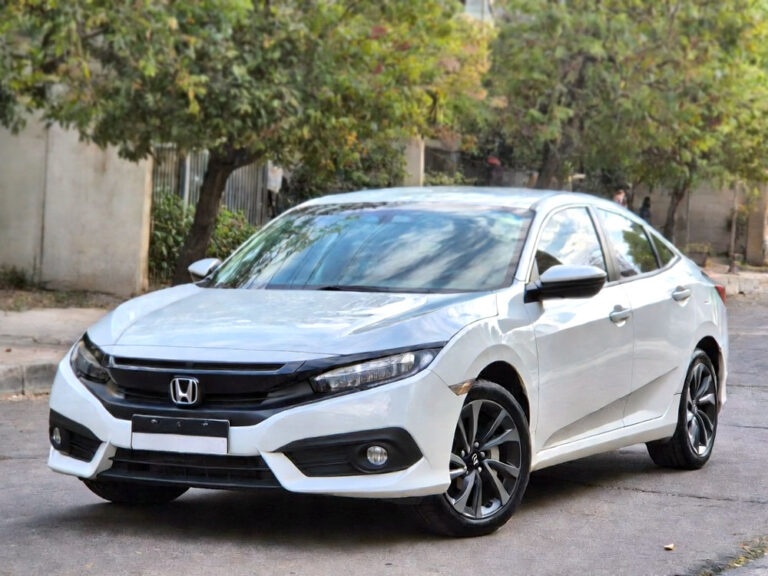
You hop into your Honda Civic, ready to drive, but notice the tire pressure light glowing on your dashboard. It can be confusing and a little worrying, especially if you just filled the tires. Often, it’s not a big problem—it’s just the car asking for a reset. With a few simple steps, you can handle it yourself and get back on the road without stress.
First, make sure all tires are inflated to the exact pressure recommended in your Honda Civic manual or on the driver’s door sticker. Then, turn the ignition on without starting the engine. Locate the tire pressure reset button, usually under the steering wheel or dashboard. Press and hold it until the light blinks or goes off. If your car resets automatically, drive a short distance at normal speed for the system to adjust. Finally, recheck all tires after driving to confirm the light is fully reset.
Understanding the Tire Pressure System in Honda Civic
Your Honda Civic comes with a Tire Pressure Monitoring System, which checks the air level in each tire. Sensors inside each wheel send information to your car’s computer. When a tire loses air, the system turns on the warning light to let you know. This safety feature is helpful but doesn’t replace regular tire checks.
Sometimes the light can turn on even after inflating the tires. Changes in weather, recent tire rotation, or rough roads can temporarily confuse the sensors. Understanding this helps you avoid unnecessary worry and know that a reset is usually simple.
Knowing how to read your tire pressure accurately is also important. A digital tire gauge gives the most precise measurement. Always check tires when they are cold because hot tires can give false readings. This keeps your car safe and helps the system reset properly.
If the light continues to stay on, one sensor may be faulty, or a tire could have a slow leak. Regular monitoring helps you spot small problems before they become bigger. Understanding your Civic’s tire pressure system makes the reset process much easier.
- Honda Civic has sensors in each tire
- Weather and rotation can trigger the light
- Digital gauges give accurate readings
- Cold tires are best for checking
- Persistent lights may mean sensor issues
Checking Tire Pressure the Right Way
Before resetting the light, accurate tire pressure is essential. Park your Civic on level ground and wait at least 30 minutes for tires to cool. Hot tires can give higher readings, which may confuse the system. Use a reliable gauge to measure each tire carefully.
Next, compare your reading with the recommended PSI on the driver’s door sticker. Do not guess the numbers because even small differences can trigger the warning. If one tire is low, add air slowly and check again after a minute.
Front and rear tires sometimes require different pressures. Using the gauge ensures each tire is correctly inflated. After adding air, inspect the tires for nails, cracks, or other damage. These simple steps help keep you safe and allow the reset to work correctly.
A practical tip is to carry a small air pump in your trunk. This makes it easy to adjust tires anytime and prevents the light from coming back on unexpectedly. Regular checks also save time and worry.
- Park on level ground and let tires cool
- Use a digital gauge for each tire
- Follow recommended PSI for front and rear
- Inspect tires for visible damage
- Keep a portable pump for emergencies
Resetting the Tire Pressure Light Button Method
Many Honda Civics have a reset button. First, confirm all tires are at the right pressure. Turn the ignition on without starting the engine. Find the TPMS button under the steering wheel or dashboard.
Press and hold the button until the light blinks slowly. Release the button after a few seconds. Usually, the light should turn off right away. If it doesn’t, check the tires again and try a second time. Some cars may require driving a short distance for the reset to complete.
After the reset, observe the light while driving a few miles. If it stays off, the process worked. If it returns, a sensor could be faulty or a tire may have a leak. Keeping track of tire maintenance helps know when to reset.
It is also helpful to reset the light after any tire service or rotation. This ensures the system updates properly and avoids false warnings later.
- Confirm all tires at proper PSI
- Turn ignition on without starting
- Hold TPMS button until blinking
- Light should turn off after reset
- Drive a short distance to confirm
Automatic Reset Without a Button
Some newer Honda Civics reset automatically. After inflating tires to correct pressure, simply drive normally. The system may take a few minutes or several miles to recognize the proper pressure.
The car’s computer senses each tire’s air level during driving. When everything is correct, the light turns off automatically. This method avoids finding a button and is very convenient.
If the light does not go off, check each tire for leaks or incorrect PSI. Cold weather may delay the reset because air contracts in lower temperatures. Patience is key as the system updates gradually.
Automatic reset works well for drivers who prefer fewer steps. Still, regular checks are important to ensure the system functions properly and tires remain safe.
- Inflate tires to recommended PSI
- Drive at normal speed for a few miles
- Light should turn off automatically
- Recheck PSI if light stays on
- Cold weather may delay reset
Common Problems That Keep the Light On
Even after inflating tires and resetting, the light may stay on. A common cause is a weak sensor battery. Another possibility is a slow leak that is not obvious at first.
Tire rotation or replacement can also trigger the warning. Sensors need time to update the computer on the new positions. Ignoring the light may lead to false warnings or confusion. Keeping a record of tire changes helps identify these situations.
Temperature changes affect the system too. Cold air lowers PSI temporarily, which can turn on the light. Simple reinflation usually solves the problem. Understanding this prevents unnecessary panic.
Using a diagnostic tool or visiting a service center can quickly identify faulty sensors. Regular monitoring and knowing these common problems save frustration and ensure smooth driving.
- Weak sensor batteries can fail
- Slow leaks may persist
- Tire rotation can trigger light
- Cold temperatures reduce PSI
- Diagnostics detect sensor issues
Maintaining Proper Tire Pressure Long Term
Regular tire checks are the best way to prevent the warning light from coming on unexpectedly. Check tires at least once a month and before long trips. Properly inflated tires last longer, save fuel, and provide a smoother ride.
A digital gauge is the most reliable tool for monitoring pressure. Gas station pumps can be inaccurate, so carrying your own gauge is smart. Record tire pressure over time to notice small changes before they become a problem.
Regular rotation and alignment prevent uneven wear, which can affect sensor readings. Following Honda’s maintenance schedule keeps tires in top shape and reduces false warnings.
Check tire pressure when temperatures change, especially during winter or summer. This habit ensures your Honda Civic remains safe, comfortable, and efficient.
- Check tires monthly or before trips
- Use a digital gauge for accuracy
- Record PSI changes over time
- Rotate and align tires regularly
- Monitor after temperature shifts
Final Thoughts
Resetting the tire pressure light Honda Civic is easier than most people think. With correct tire pressure and either the button or automatic reset, the warning disappears. Regular maintenance keeps tires safe, improves fuel efficiency, and prevents unnecessary worry. Following these simple steps makes managing your Civic’s tire system straightforward and stress-free.
| Step | Method | Notes | Tips |
|---|---|---|---|
| Check Tire Pressure | Manual gauge | Cold tires give accurate readings | Keep portable pump in car |
| Inflate Tires | Air compressor | Match PSI to driver’s door sticker | Check each tire carefully |
| Reset Light | Button | Hold until blinking then off | Drive short distance to confirm |
| Automatic Reset | Drive car | May take a few miles | Convenient for newer models |
| Maintenance | Regular checks | Monthly or before trips | Rotate tires and monitor PSI |
Frequently Asked Questions (FAQs)
Is it safe to drive with the tire pressure light on?
It is okay for short distances, but low pressure affects fuel efficiency and handling. Inflate tires as soon as possible to avoid problems.
Can temperature changes trigger the tire pressure light?
Yes, cold weather can temporarily lower PSI, turning the light on. Correct tire inflation usually solves this.
Do I need a mechanic to reset the tire pressure light Honda Civic?
Most Civics allow you to reset the light yourself using the button or by driving after inflating tires correctly.
Are all Honda Civic models the same for resetting TPMS?
No, older models have a reset button, while newer ones may reset automatically. Check your manual for details.
Can a slow leak cause the light to stay on?
Yes, even a small, slow leak triggers the warning. Inspect tires carefully and fix leaks promptly.
Do I need to check tire pressure regularly?
Yes, checking monthly and before long trips prevents false warnings and keeps tires in good condition.
Is it necessary to check cold tires?
Yes, cold tires provide accurate readings. Hot tires can give falsely high PSI, confusing the system.
Can tire rotation affect the light?
Yes, moving tires changes sensor positions. A reset or short drive may be needed afterward.
Do weak sensor batteries trigger the warning?
Yes, weak batteries can prevent sensors from communicating, keeping the light on even if tires are fine.
Are portable gauges better than gas station pumps?
Yes, digital gauges are more accurate. Carrying one helps maintain proper tire pressure reliably.